
3 Free Audio Plugins Better Than Stock Effects
Stock effects processing that come with your DAW of choice are not usually the best option for getting professional level audio for your voice. Here are some free third party plugin options that to my ear and workflow work much better than the ones that come with your favorite audio editing software:
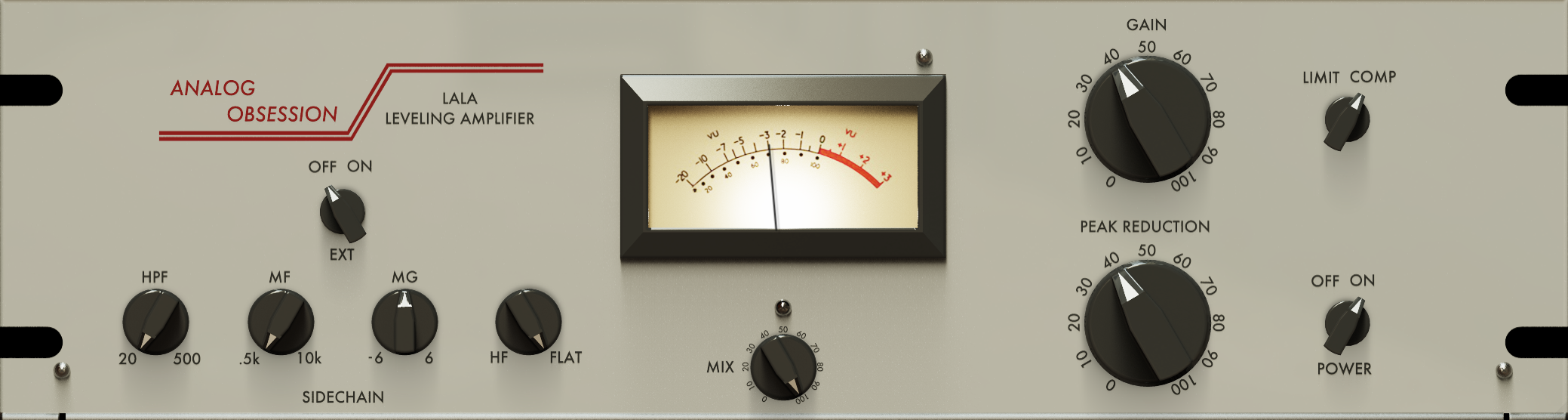
Analog Obsession’s LALA compressor
GAIN set to around 40 (or more)
PEAK REDUCTION set around 40 (or more)
Click the ANALOG OBSESSION logo so it’s red which enables oversampling
The rest of the settings stay at their default values.
The Gain Reduction meter should live around -3 for a natural sound, which can be adjusted using the PEAK REDUCTION setting.
Watch your Loudness Meter (I insert mine as the last plugin on my Main Mix Bus) and adjust the GAIN setting so integrated reads as close to -16 LUFS as possible for Podcast audio files, and -14 LUFS for YouTube videos (and streaming music tracks).
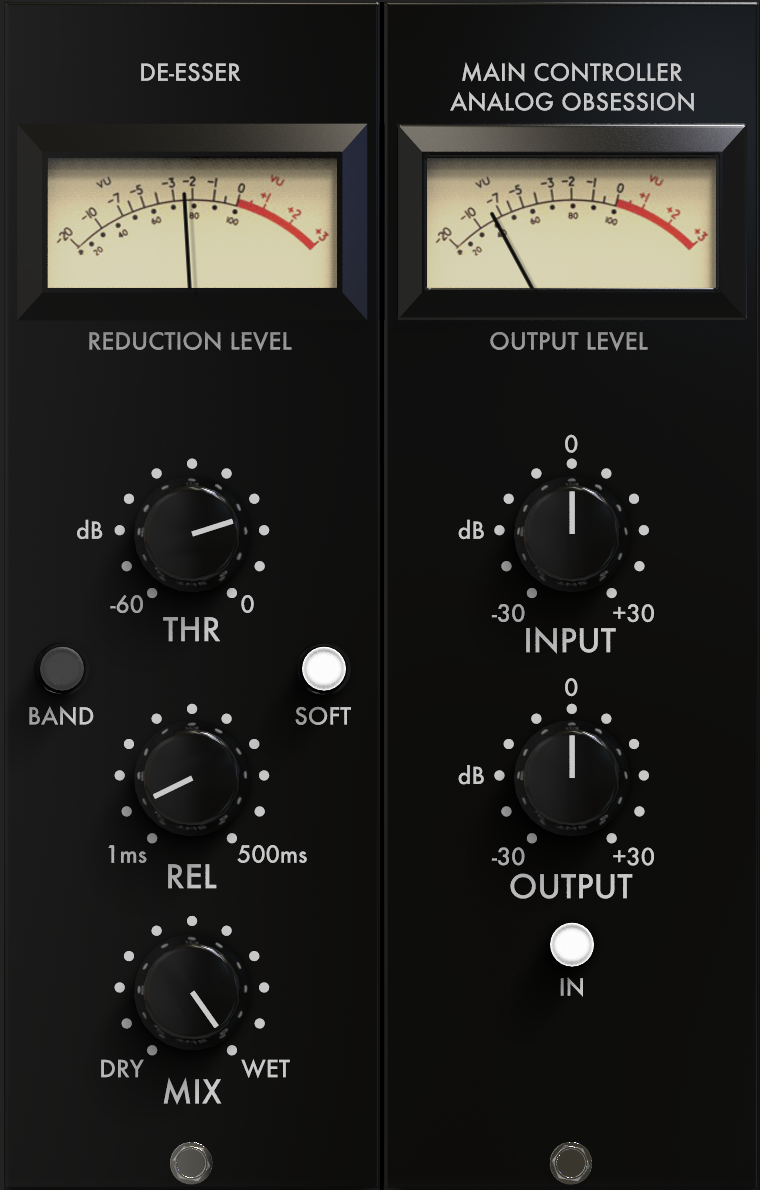
Analog Obsession’s LOADES de-esser
THR set to around -15 (or 2 o’clock)
SOFT enabled for a smoother and more subtle reduction
REL set to around 50ms (or 8 o’clock)
The rest of the settings stay at their default values.
The REDUCTION LEVEL meter should live around -3 for a natural sound, which can be adjusted using the THR setting.
Too much de-essing makes it sound like you have a lisp. I like to adjust it to where I can start to hear it just a tiny bit more than I’d like, then back it off just a tiny amount.
I like to insert this on each input track after compression and EQ, before the limiter (which should always be last).
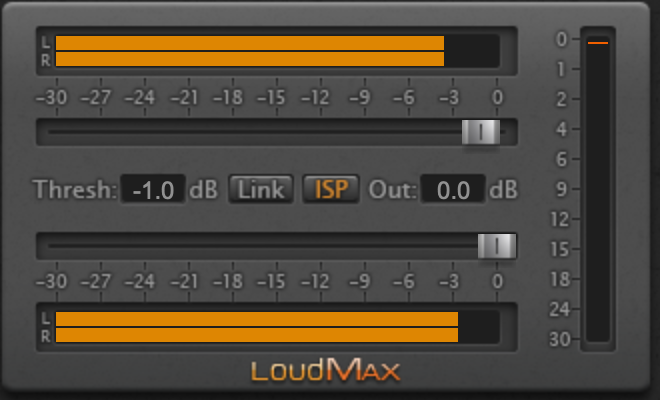
Thomas Mundt’s LoudMax brick wall loudness maximizer/limiter
Thresh (top slider) set to -1dB
ISP (Inter-Sample Peak Detection aka True Peak) button enabled to protect against any distortion from clipping
The rest of the settings stay at their default values.
Installation of this plugin is trickier as it requires manually dragging and dropping the downloaded plugin files to their appropriate folders in Macintosh HD/Library/Audio/Plug-Ins directory within macOS. Instructions are in the included ReadMe file.
This is an older plugin, but sounds great and does not increase latency or use too much processing power.
If your loudness still isn’t where you need it to be (-16 LUFS for podcast audio files and -14 LUFS for YouTube videos and music streaming files), reduce the Threshold value until it sits where you need it on your Loudness meters (inserted as the very last plugin on your Main Mix bus).
What third party plugins do you rely on for your podcast and YouTube video post production processes? Let me know in the comments along with any questions I can address in follow-up posts.